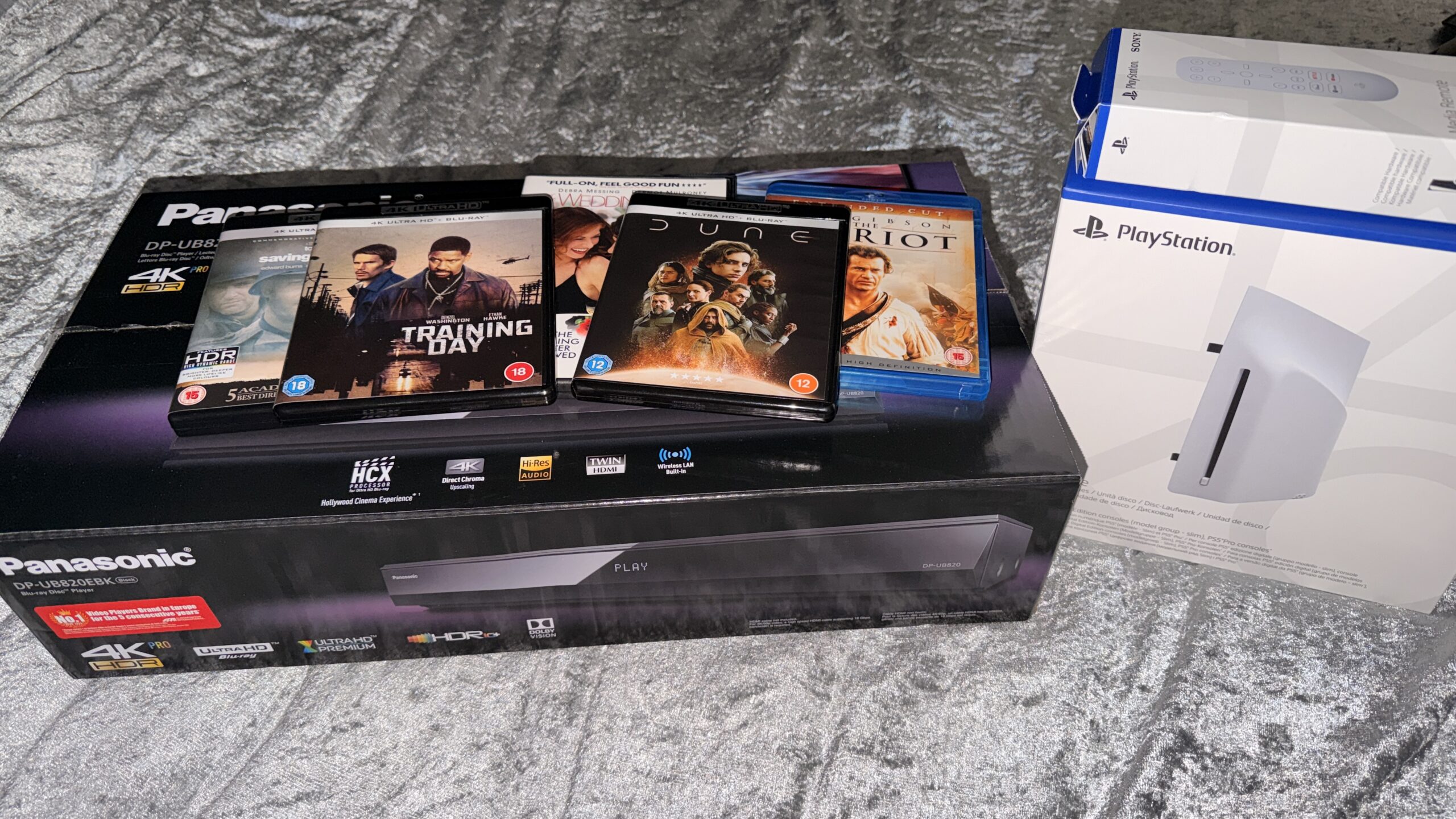
I’ve gone back and forth wanting the Panasonic UB820 as it’s regarded as the best ‘affordable’ 4K Blu-Ray player, with impressive upscaling for older Blu-Ray and DVD formats. I initially purchased it towards the end of April 2026, but returned it to Amazon within the refund window due to overspending. The investment in a dedicated player and many 4K Blu-Rays came at a hefty cost. I needed time to reflect and decide the best way forward. Whilst the upgrade from standard HD Blu-Ray to 4K Blu-Ray has its benefits, most notably colour reproduction with vibrant and/or dynamic scenes. HDR, and especially Dolby Vision, elevate the visual experience, but is it worth the cost?
PS5/PS5 Pro
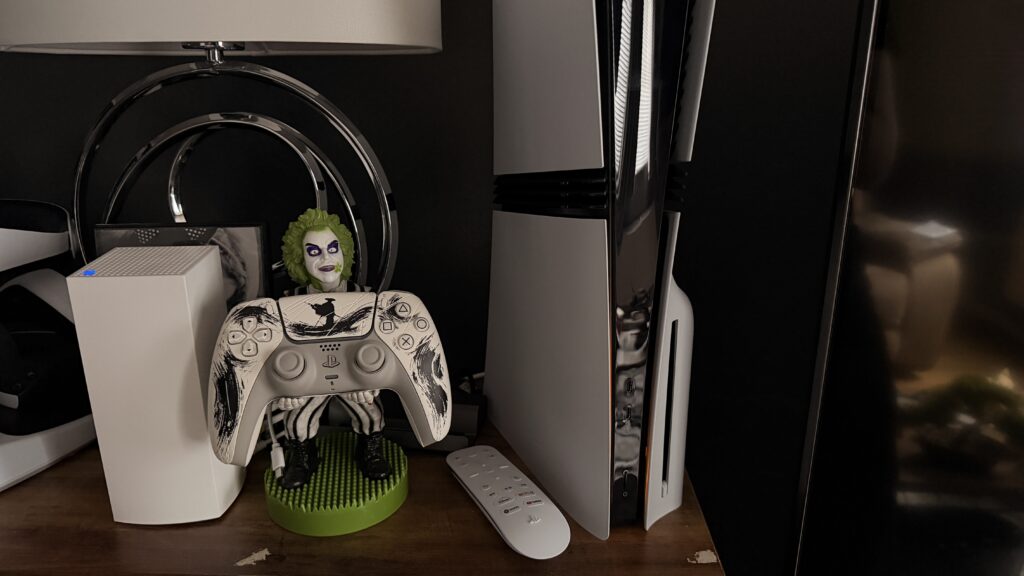
Researching the PS5’s 4K UHD Blu-Ray playback and its HD Blu-Ray and DVD upscaling performance suggests that replacing the console with a dedicated player is warranted. Many enthusiasts highly recommend the Panasonic UB820, but I’ve found much of what’s said online is simply hyperbole and regurgitated nonsense. I bought a refurbished PS5 Pro for £599, then got a brand-new 4K UHD Disc Drive for £65, and the official PlayStation 5 Media Remote directly from the PlayStation Direct store for less than £25 (PlayStation Plus subscribers receive a 5% discount on all purchases).
Transforming the digital-only PS5 Pro console into a media player costs less than £100. The Media remote, whilst not an essential purchase, certainly enhances the user experience. It’s comfortable, with a simple design making it easier to use than a DualSense controller, and it’s nicer than most remotes. However, there is one caveat: it doesn’t have a chapter skip button! Users can fast-forward, rewind, and perform every other task, except jump between chapters. Although it’s an annoyance, it’s easy to bring up the pop-up onscreen menu to change chapters, so whilst the media remote could be better, it’s still pretty good.
Much is made of the console’s noise when playing discs, but that depends on several factors, such as console placement and the movie’s volume. I can barely hear the PS5 Pro reading the disc, but I do have a soundbar with a subwoofer and surround sound, so I don’t suppose it would be too hard to drown out the disc’s murmur, especially since the PS5 console is close to the subwoofer. So everyone will have a unique experience, and mine has been fine.
The only limitation of the PlayStation 5 compared to a dedicated 4K Blu-Ray player such as the Panasonic UB820 is its inability to render HDR10+ and Dolby Vision, but it does render standard HDR10, and movies look and sound great. Audio-wise, the PS5 does support 3D audio, which can be set up in the settings menu which also includes the much lauded Dolby Atmoss format, which provides immersive sound.
Whilst the superior visual Dolby Vision technology is tempting to experience, it should be noted that not all 4K discs have HDR10+ or Dolby Vision; in fact, most of my 4K movies only have HDR. Moving forward, most new releases will likely include Dolby Vision, but that doesn’t mean it’s worth jumping into it too early.
Panasonic UB820
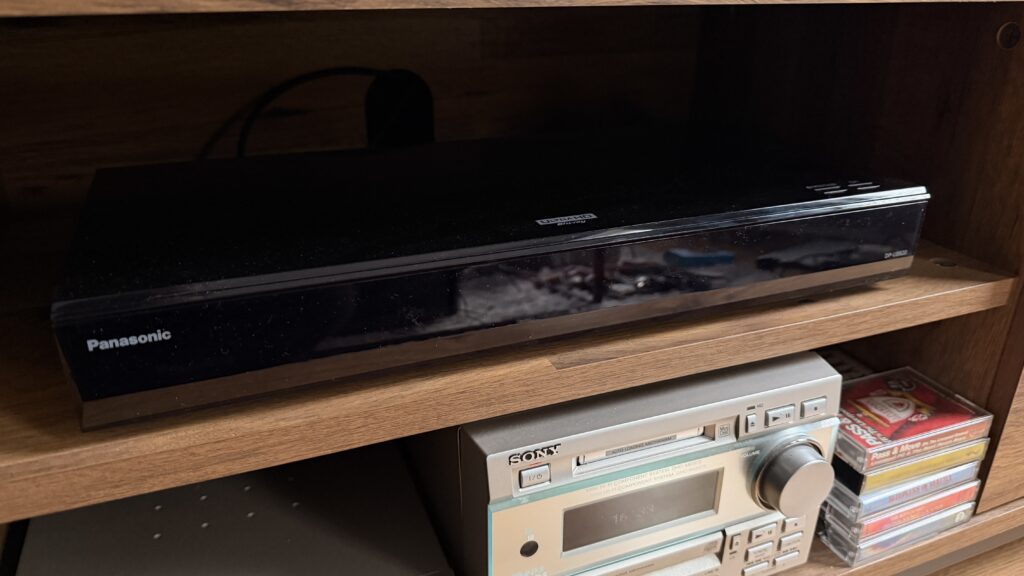
With a dedicated 4K Blu-Ray player, we get convenience with no unnecessary menus to navigate, and the Panasonic UB820 is compatible with pretty much all formats from CD to 4K Blu-Ray and SDR to Dolby Vision. It’s an all-in-one media marvel, and unless there’s a hardware failure, it’s difficult to think anyone wouldn’t be satisfied with the performance, unless, of course, they have alternate hardware; then the price of upgrading becomes more complicated. If we want the best, it comes at a price, but is the best really that much better than the rest?
The UB820 has been lauded for its impressive ability to upscale old formats such as DVD and HD Blu-Ray through its HCX chipset, but it was originally released in 2018 – 6 years ago! Since then, TVs have continually advanced, and they can upscale lower-resolution content remarkably well. In fact, many online articles suggest allowing the TV to upscale rather than the player, since TV chipsets are more advanced now. So that negates one of the UB820’s biggest selling points, even though many users online keep harping on about it, like they’re regurgitating the disc player’s spec sheet!
I’ve watched many films on the Panasonic UB820 and the PS5 Pro across multiple formats, and I’ve barely noticed a difference. Dolby Vision movies are the only exception, but that’s not always better either, because whilst Dune in 4K Dolby Vision was a great experience, and much better than HDR on the PS5, I didn’t feel the same about Saving Private Ryan. The HDR version had darker tones, which suited the movie, whilst Dolby Vision made the movie brighter, which made it feel less gritty. Training Day on 4K only has standard HDR, so it looked identical across both hardware, and lighting-wise, it’s superior to the Blu-Ray version, with the HDR version supporting darker tones, and less bright blooming. But that’s the movie, not the hardware. I tried war, action and romance movies.
The Patriot Blu-Ray, which seemed identical. I switched back and forth multiple times between the Panasonic and PS5, and they looked the same. Maybe the UB820 had slightly more colour, but it could’ve been a placebo effect, of me expecting an upgrade, that perhaps wasn’t even there! Wedding Date on DVD again looked identical, which surprised me considering the PS5 is supposed to be a weak upscaler, and the Panasonic UB820 is supposed to be the best on the market. They looked and sounded identical.
It’s often claimed that the Panasonic UB820 is a silent and significant upgrade to the PS5, but perhaps it’s the hardware placement; I find that the Panasonic’s discs are louder than the PS5’s. The UB820 is positioned centrally below the TV and soundbar in the TV cabinet, whilst the PS5 Pro is to the left of the TV just above the subwoofer (the sub is on low).
External Factors
My experience may and will likely differ from others, as everyone’s setup from TV to Audio can and likely will be different. I recently upgraded from a 2020 60″ LG UHD 4K TV with artificial HDR, which, if anything, ruined the image because the TV didn’t have enough brightness. But now I own a 2025 75″ TCL Mini-LED (C7K, QM7K) Dolby Vision and Dolby Atmos TV. DVDs looked better on the 60″ TV, which makes sense as the DVD resolution is so small, stretching it to larger sizes will always diminish the visual quality. But on the other hand, 4K content looks amazing, with dynamic lighting and vibrant colours.
Audio-wise, I have a Hisense AX5140Q 5.1.4 CH Soundbar, a significant upgrade from the 2.0 audio I had before with the previous TV, which I also connected to the rear speakers on the stereo. But all they did was copy the TV sound, so it wasn’t dynamic with independent sounds coming from separate speakers. The new audio setup takes full advantage of Dolby Atmos and other surround sound technologies.
With all this in mind, if someone has an old TV, they won’t benefit from HDR and Dolby Vision; likewise, using TV speakers negates the surround experience. So, whilst I enjoy my setup, seek a great visual experience, and want to feel the sound around me, others may settle for less or not realise they’re missing out. However, some upgrades aren’t necessarily worth the cost.
Conclussion
For less than £100, my PS5 Pro performs similarly to the Panasonic UB820. I’ve tried to find differences to justify keeping the Panasonic player, but aside from dark scenes in the Dune 4K Blu-Ray, there’s hardly any significant difference in the viewing experience. In Dune specifically, Dolby Vision was a game-changer. One scene in particular was too dark in HDR, but Dolby Vision preserved the parts that needed to be dark whilst brightening other areas. It made a clear difference, demonstrating how the technology can improve movies, but for most films, that’s not necessarily the case.
I don’t believe the difference between HDR and Dolby Vision warrants a £350 investment. I would suggest investing in movies, and only when enough titles in the collection support Dolby Vision would an upgrade to a dedicated player such as the UB820 be worth it.
There are many horror stories of 4K Blu-Ray players failing to read discs and stopping working completely, including the Panasonic UB820, and that made me really second-guess the investment. A one-off cost of £350 could be perhaps justified, but continually replacing it would get expensive. Whereas with the PlayStation 5, it’s ridiculously cheap to buy a disc drive, and easy to install too. It’s so cheap that I’m considering buying a back-up disc drive just in case it’s needed in future. And who knows, maybe Sony will provide a system update to support Dolby Vision, but I doubt it, as the movies on the Sony Core digital store feature IMAX, and I don’t suppose they want competition from physical media. It’s a shame, but in my experience, the PS5 Pro plays all movie disc formats perfectly.
If anyone already owns a PS5 and wants to get into collecting and enjoying physical media, I suggest watching movies on the console and deciding for yourselves whether you’re happy with the experience. Just because others say it’s not good enough doesn’t mean it’s not. Side by side, I couldn’t tell the difference, so I find it hard to believe that anyone playing discs on the console would have a poor experience. If movies look and sound amazing, then they are, and that’s the point all along. But for those who are ready to elevate the experience further, getting a Dolby Vision player, such as the UB820, would be a worthwhile investment. Neither is bad, and both are great; it simply comes down to their value. For PS5 users, it’s a no-brainer to use the PS5, but for non-gamers, the UB820 would be cheaper, so that makes sense too.
I bought a new Panasonic UB820 to replace the one I returned, but after multiple tests, I can’t justify spending £350 when, for most movies in my collection, the PS5 Pro provides the exact same experience. So. I’m returning the Panasonic UB820 again and will only consider re-purchasing when I have enough Dolby Vision 4K Blu-Ray discs to justify it.
Update
Rather than edit everything stated above, I decided to add a brief update because I felt it was important to show the thought process that led to a breakthrough. After all the debating about whether to stick with the PS5, which is a great way to enjoy physical media, I opted to keep the Panasonic UB820! I had read online, particularly on Reddit, about using the ‘HDR Optimiser’ feature when watching HDR 4K Blu-Ray movies that don’t support Dolby Vision. I had assumed HDR was standard, as it looked the same across various devices, but exploring the options while the movie was playing revealed multiple enhancements.
Star Wars: Rise of Skywalker HD Blu-Ray
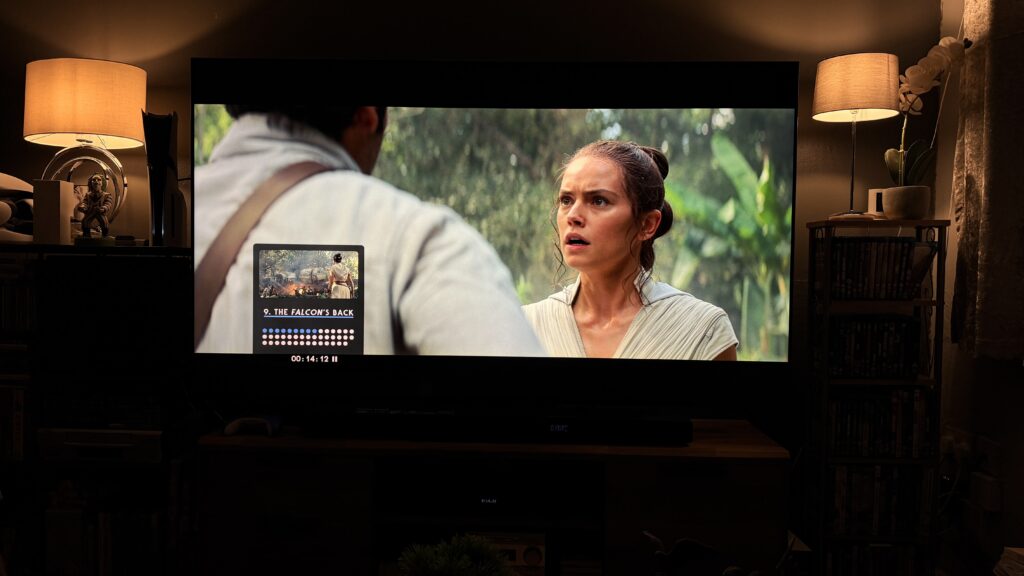
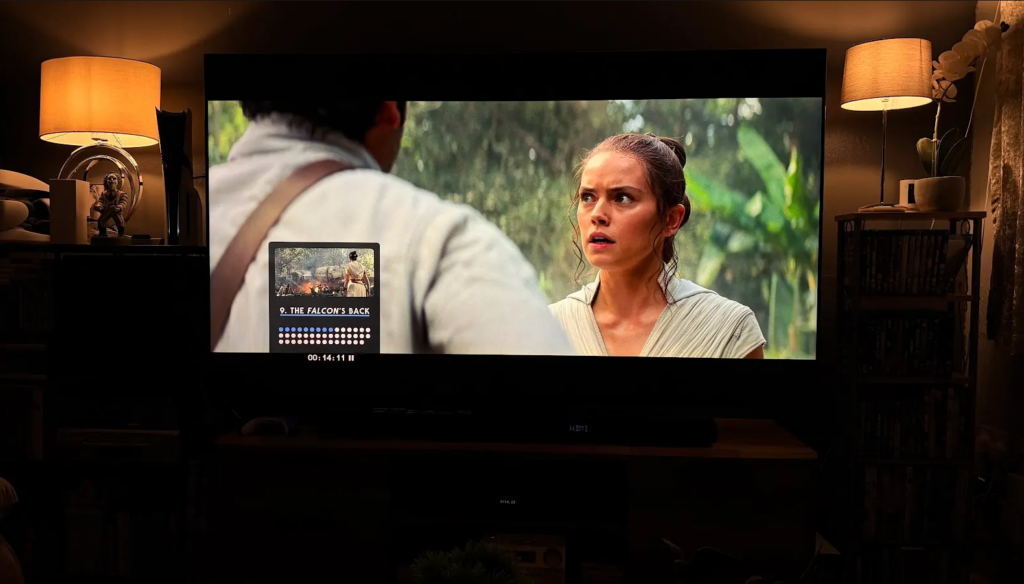
Standard Blu-Rays look identical on the PS5 and UB820; at least, I can’t tell the difference no matter how hard I try. As HD Blu-Ray only has SDR, the HDR Optimiser doesn’t work, so the image is the same as other devices. Some people may have a bias when stating opinions, but whilst I’m comfortable with something being better or worse, in this case, neither was any different to the other. Frame timing seemed to be slightly off with the PS5, where the same scene on the UB820 wasn’t identical to the PS5, like it was a frame or two out, so I struggled to match them up perfectly and had to use a different timestamp.
Star Wars: Rise of Skywalker 4K Blu-Ray
Using the Panasonic UB820 HDR Optimiser
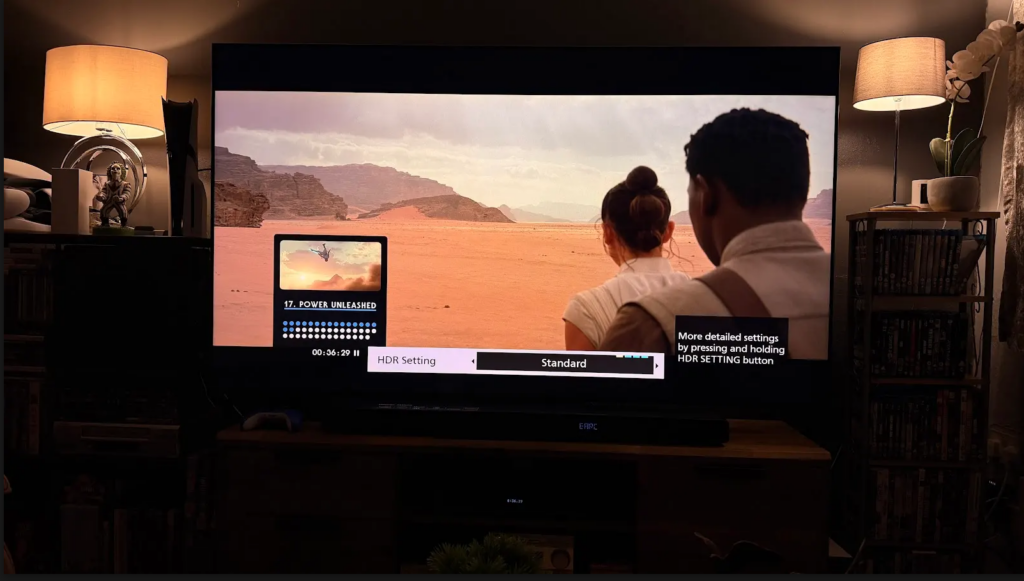
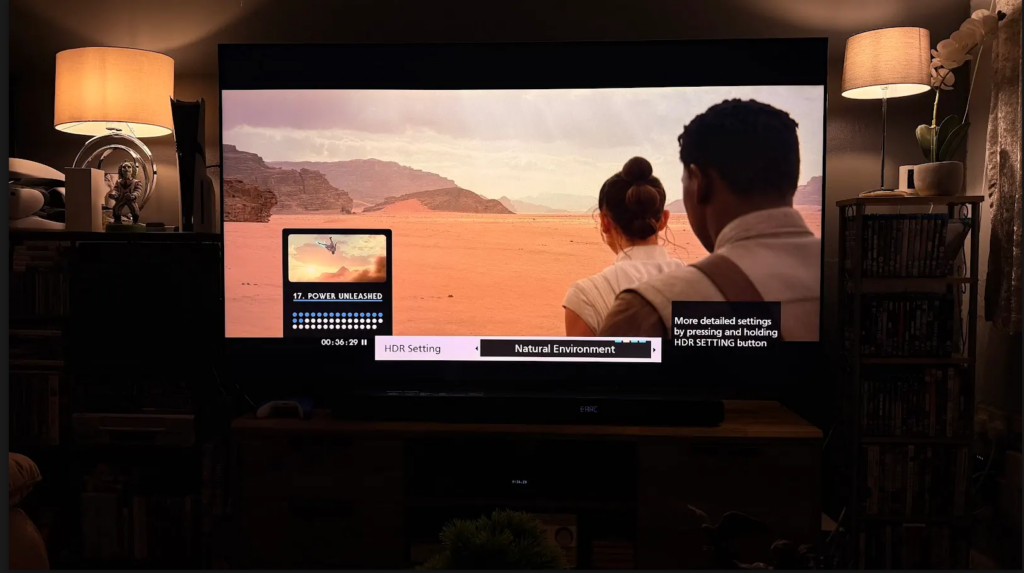
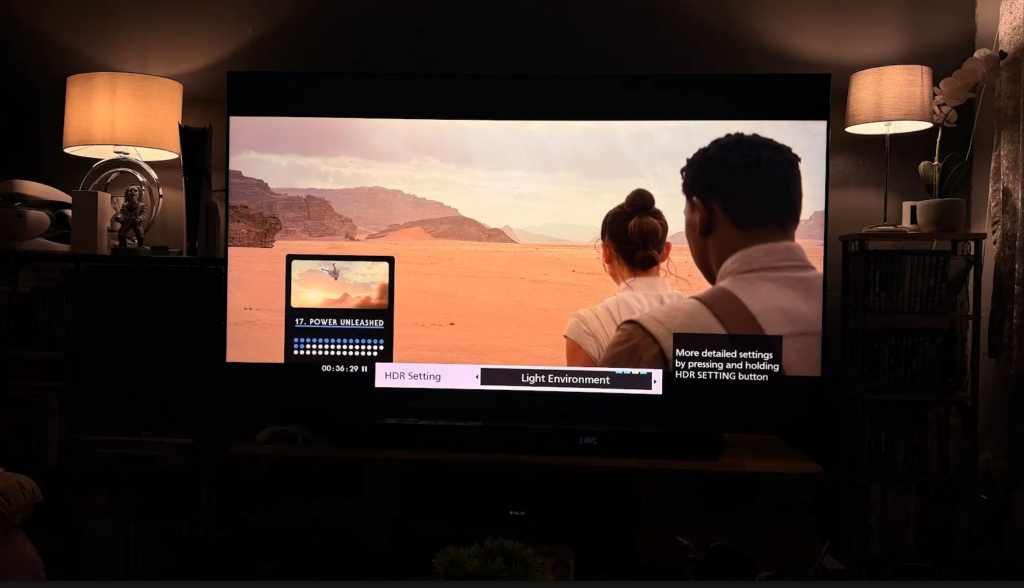
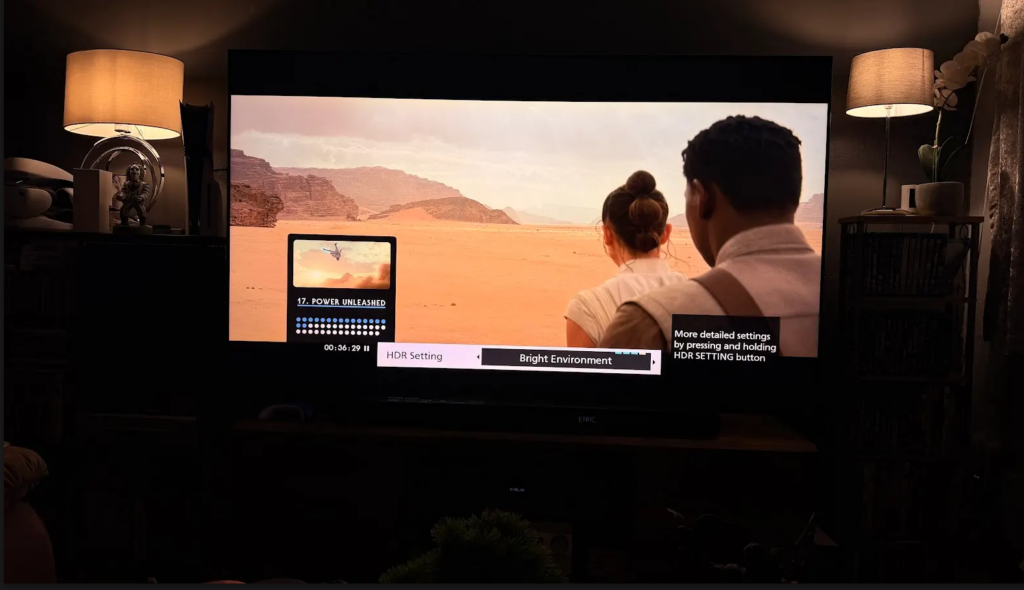
Whilst there may not seem to be much difference between the images, the difference between the standard and the bright environment is substantial in person. Standard has a darker tone, closest to the original director-approved version, whilst the brighter options help improve visibility in darker scenes, and can make a film feel like a different experience. In the sandy areas of Star Wars: Rise of the Skywalker, I preferred the bright environment, as it felt natural to the setting and time of day. The world felt more alive than the original HDR offering, which was the only option available on the PS5 aside from adjusting TV settings.
Suddenly, the Panasonic UB820 wasn’t just beneficial for its Dolby Vision feature; all 4K Blu-Ray movies could be enhanced. I happened to be testing the Star Wars: Rise of Skywalker standard HD Blu-Ray on both the PS5 Pro and the UB820, and they were identical. Pausing and looking for differences proved impossible. But the 4K Blu-Ray version of the movie changed everything once I activated the HDR Optimiser. The auto optimiser can be turned on, and there are 4 presets too, each of which gets brighter and, to my eyes, more vivid.
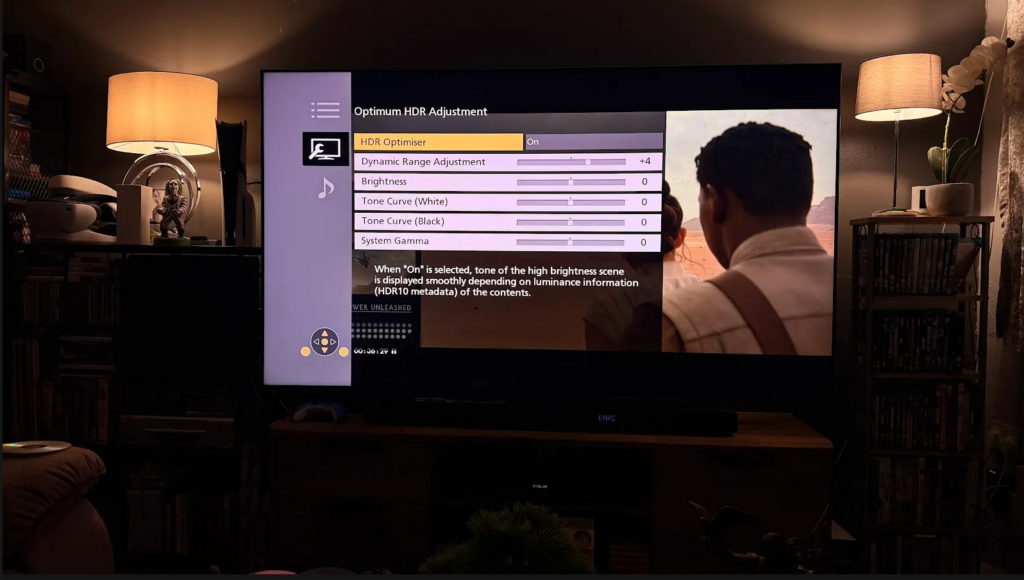
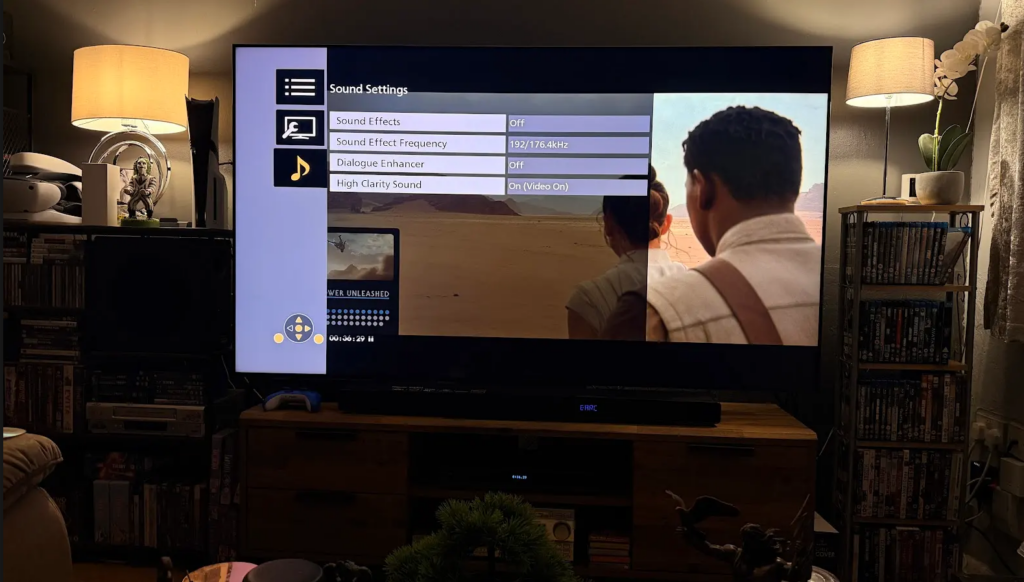
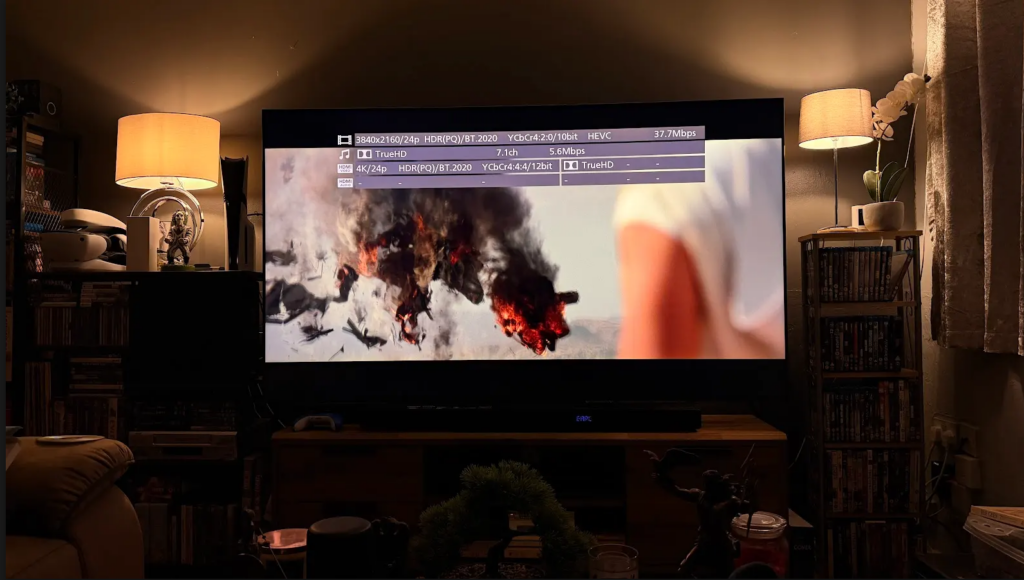
Aside from the HDR Optimiser, the UB820 also offers many video and audio options that, upon reflection, the PS5 doesn’t have. The PS5 can only enable features such as 3D Audio and HDR, but beyond that, there aren’t many options, and nothing likePanasonic’s. On the UB820, users can choose audio quality and standards, and there are many video output options, resulting in an unmatched customisable user experience.
It’s difficult to quantify the value of such features, and the HDR improvements across the entire 4K Blu-Ray range, and whether owning a £350 dedicated Blu-Ray player is worth it, but one thing’s for sure, when watching content on the PS5 there may be a curioristy about what it would be like to watch movies on the UB820, but the same wouldn’t be said the other way around. Watching movies on the UB820 is the best experience, so I decided to keep it. Rather than worry about the cost, or how many standard HD Blu-Rays and 4K Blu-Rays I could buy instead, I’ll appreciate that I can get the best out of my existing collection, and any new additions will always be watched without restrictions.
My biggest hesitation was justifying the cost of enhancing a select few movies that support Dolby Vision, and as it’s become popular and even standard across modern TVs, it stands to reason that more releases will incorporate the tech, but also knowing that 4K movies that don’t support Dolby Vision can benefit from the UB820s enhancements made owning the player worth it. Due to the cost of movies, I won’t always be buying 4K discs, but the ones I do will look and sound amazing. The guilt of owning something for a select few titles made me doubt the need, but now I don’t think I would feel comfortable with anything less.
Winner: Panasonic UB820 4K Blu-Ray Player

Jack of all trades, author and YouTube content creator, but also audiobook narrator, podcaster, and web designer. A connoisseur of all manner of geek-laden tasks and activities, from building and maintaining my gaming/production computers to collecting physical media and other cool and interesting products. I like to be proactive, so I’m never bored and constantly amuse myself.